

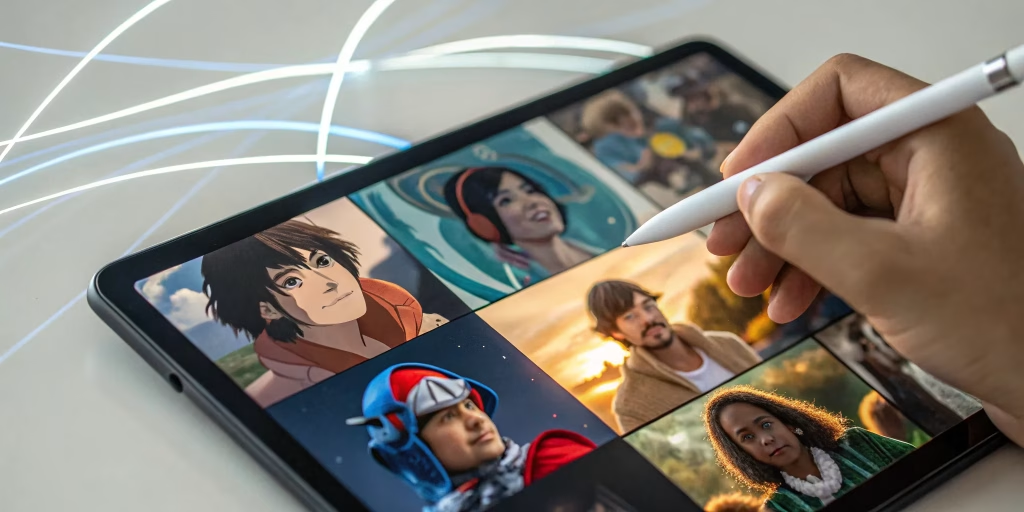
This article is for content creators, educators, social media managers, small business owners, and everyday users who want to bring a personalized animated avatar to life using their own voice, without any animation or design experience. If you have been searching for a free tool that syncs a character to your voice recording and produces something you can actually share or publish, this guide will help you make that decision with confidence. After reading, you will understand exactly what separates strong free tools from weak ones, what features matter most depending on your goals, and which options are worth your time.
What Is a Voice-Driven Animated Avatar and Who Uses One
A voice-driven animated avatar is a digital character that moves, speaks, and reacts in sync with an audio recording. Rather than creating traditional animation frame by frame, these tools take a voice input and automatically generate character movement, lip sync, eye motion, and gestures that respond to the audio. The result is a short animated video featuring a character that appears to be speaking your words.
The use cases for this kind of tool are wide-ranging. Content creators use animated avatars as on-screen personas for YouTube videos or Twitch streams when they prefer not to appear on camera. Educators create short explainer animations that feel more engaging than a static slide. Social media managers produce eye-catching video content quickly without the cost of hiring video production resources. Individuals use them for fun, for personal branding, or for storytelling projects.
What all of these users have in common is the same core need: a fast, accessible, free way to produce an animated character that feels personal and looks polished. The challenge is that not every tool marketed as “free” actually delivers a usable result at no cost, and not every tool is designed with accessibility in mind. Knowing how to evaluate these platforms before committing is the most efficient way to find the right fit.
Eight Criteria for Evaluating Free Animated Avatar Tools
Before comparing any specific platform, it helps to establish a consistent evaluation framework. Using these eight criteria across every tool you test will give you a clear, apples-to-apples comparison rather than an impression shaped by marketing language.
1. How Voice Input Actually Works
The most fundamental feature of this tool category is how the platform accepts your voice. There are two primary approaches: live recording directly in the browser or app, and uploading a pre-recorded audio file. The best free tools support both options, giving you flexibility depending on your setup. Confirm that the tool allows you to record without additional software, that the recording length available on the free plan suits your needs, and that you can re-record or trim without starting over entirely.
2. Character Variety and Personalization
The range of available avatar characters matters more than it might initially seem. A limited library forces every user toward the same two or three options, which undermines the goal of creating something that feels personal. Look for platforms that offer diverse character styles across different aesthetics, from illustrated and cartoon styles to more expressive or fantastical options. Confirm how many characters are accessible on the free plan versus locked behind a paid tier.
3. Animation Quality and Sync Accuracy
The core value of a voice-driven avatar is the quality of the sync between audio and character movement. Evaluate whether the character’s mouth, eyes, and gestures move in a way that feels natural and responsive to the rhythm of the voice, or whether the animation feels mechanical and disconnected from the audio. Many tools show preview samples on their websites, which gives you a reasonable indication of output quality before you invest time in the signup process.
4. Customization of Backgrounds and Scenes
A great animated avatar placed in front of a default grey background loses much of its visual appeal. Look for tools that let you swap backgrounds, adjust the character’s size and position within the frame, and control the overall composition of the final video. These features do not require animation skills to use but make a significant difference in how professional the finished video looks.
5. Output Formats and Resolution
For a free tool to be genuinely useful, the output needs to be shareable and high enough quality for its intended platform. Confirm what file formats are available on the free plan, whether that is MP4, GIF, or other formats, and whether there are watermarks, resolution caps, or time restrictions applied to free downloads. A watermarked or heavily compressed output limits your ability to use the content for anything professional.
6. Social Media Sizing and Publishing Options
If your goal is publishing animated content to a specific platform, a tool that handles sizing and aspect ratio for you removes a meaningful friction point. Look for platforms that offer preset dimensions for common destinations like Instagram, YouTube, TikTok, or Twitch, along with the option to enter custom dimensions. The ability to resize your finished animation in one click, rather than rebuilding it from scratch, is a significant time-saver.
7. Ease of Use for Non-Technical Users
This category of tools is specifically designed to remove technical barriers, but some platforms execute on that promise better than others. A good tool should require no software installation, no account setup before you can experiment, and no prior knowledge of video editing or animation. The workflow from opening the tool to producing a finished preview should be achievable in under ten minutes on a first attempt, without reading documentation.
8. What the Free Plan Actually Includes
Freemium is the standard business model for almost every tool in this space. That means some features are genuinely free while others require a paid subscription. Before you spend time learning a platform, confirm what is included at no cost: how many videos you can create, whether downloads are available, whether there is a watermark, and whether the character library and background options are meaningfully available at the free tier. A free plan that gives you access to only one character and produces a watermarked output is not a free plan in any practical sense.
Types of Tools Available in This Category
The market for animated avatar creation from voice recordings can be broken into a few distinct tool types. Understanding the differences helps you match the right category to your specific use case before evaluating individual platforms.
Lightweight Browser-Based Avatar Animators
These tools focus on simplicity and speed. You pick a character, record or upload your voice, and the tool generates an animated video in a matter of minutes. The character library tends to include illustrated or stylized characters rather than hyper-realistic AI-generated faces. The free plans tend to be more generous, with fewer watermarks and fewer feature gates. These tools are best suited for social media content, fun personal projects, educational explainers, and branded content that benefits from a playful visual style.
AI-Powered Realistic Talking Head Generators
This category uses artificial intelligence to animate a realistic human face, either from a stock library or from a photo you upload. The results can be visually impressive, but free plans in this category are typically more limited, often allowing only a small number of video minutes per month or applying prominent watermarks. These tools lean toward enterprise and marketing use cases, and the free tier is usually intended as a trial rather than a sustainable free option.
Full Video Production Platforms with Avatar Features
Some platforms include voice-driven avatar functionality as one feature within a broader video creation and editing suite. These tools offer more total capability, including subtitles, background music, text overlays, and publishing integrations, but the avatar creation workflow can feel more complex as a result. If you need an all-in-one video production tool, this category is worth exploring. If you only need a quick animated avatar, the added complexity may not be worth it.
Adobe Express Avatar Maker: One Strong Option Worth Evaluating
Among the lightweight browser-based tools in this category, the avatar maker from Adobe Express stands out for several practical reasons that are particularly relevant if you prioritize simplicity, character variety, and social publishing flexibility.
Voice Recording Built Directly Into the Browser
Adobe Express allows you to record your voiceover of up to two minutes directly within the tool, without needing to use a separate recording app or upload a file from another source. You can pause and resume recording at any point, which makes it easier to work through a script in stages rather than in a single uninterrupted take. Once the recording is complete, the tool processes the audio and generates the animation, and you can preview the result before committing to a download. This in-browser workflow removes one of the most common friction points for non-technical users.
A Wide Range of Expressive Characters
The character library includes a genuinely diverse range of options, from illustrated human characters to unicorns, emojis, aliens, and other imaginative creatures. Each character responds to the audio input with synchronized eye movement and hand gestures that shift naturally with the tone and pacing of the voice, rather than producing a single looping motion. This responsiveness gives the output a level of expressiveness that goes beyond basic lip sync. The ability to swap between characters and preview the same audio with different avatars before downloading means you are not locked into a choice made at the start of the session.
One-Click Resizing for Social Channels
After creating your animated avatar video, Adobe Express allows you to resize the output to fit preset dimensions for major social platforms in a single click. This eliminates the need to re-edit or re-export separately for different channels. You can also enter custom dimensions, which is useful for embedding in presentations, email headers, or other formats that fall outside standard social media sizes. The tool is available on both desktop and mobile, which adds flexibility for users who manage their content creation across devices.
Adobe Express is one strong option in this category, and for users who prioritize a fast, no-experience-required workflow with a playful character aesthetic and direct social publishing, it is worth serious consideration. Depending on your goals, particularly if you need realistic AI faces, longer video lengths, or advanced editing features, other tools in different categories may be a better fit.
How to Create a Personalized Animated Avatar from a Voice Recording: A Step-by-Step Overview
Regardless of which platform you choose, the general creation process follows a consistent sequence. Understanding this workflow before you start helps you prepare the right materials and move through the process efficiently.
- Prepare your script or talking points. Decide what you want your avatar to say before opening the tool. Trying to improvise while recording often produces awkward pauses and restarts that you will need to edit out later. Write out a clear, conversational script ahead of time.
- Choose your character first. Most platforms let you preview characters before recording. Browse the available options and select one that fits the visual tone of your content before you commit audio to it.
- Record or upload your audio. Use the in-browser recording option if the platform supports it, or upload a clean audio file recorded on your phone or computer. Avoid recording in noisy environments, as background sound degrades the animation quality in most tools.
- Preview the animation before downloading. Almost every tool in this category offers a preview feature. Use it before downloading to check sync quality, character responsiveness, and overall visual appeal.
- Adjust and customize. Swap backgrounds, trim the audio if needed, adjust character sizing, and confirm the output dimensions match your intended use.
- Export and publish. Download the finished file in the format available on your plan and publish or share as needed.
Frequently Asked Questions
Are there truly free animated avatar tools, or do they all require payment eventually?
Genuinely free tiers do exist, but the range of what “free” includes varies significantly from platform to platform. Some tools offer a fully functional free experience with no watermark and a reasonable output resolution for everyday use. Others limit free users to a single character, a very short video duration, or a heavily compressed download that is not suitable for professional use. The most honest way to evaluate a free plan is to complete the full creation-to-download workflow before spending time learning the platform’s interface. If you reach a paywall at the export stage, that is critical information. For tools that include a watermark on free downloads, consider whether the watermark placement affects your content in a meaningful way, since some tools place it discreetly while others place it prominently in the center of the frame.
What audio quality do I need for a voice-driven avatar to work well?
The quality of your audio recording has a direct impact on how well the avatar animation syncs and responds. Most tools perform best with clear, consistent audio recorded in a quiet environment. A basic microphone, including the built-in mic on a modern smartphone or laptop, is usually sufficient as long as there is no significant background noise, echo, or distortion. If your recording environment is noisy, consider using a free tool like Krisp to suppress background noise before uploading your audio file, as cleaner audio produces noticeably better animation output across all major platforms in this category. Avoid whispering or speaking at a very low volume, as many tools rely on vocal energy to drive gesture and eye movement, and a flat or quiet delivery will produce minimal character responsiveness.
Can I use an animated avatar I create with these tools for commercial purposes?
This depends entirely on the terms of service of the platform you use and the specific plan you are on. Many free plans restrict commercial use of outputs, particularly when the assets include stock characters, background images, or audio elements that are licensed for personal use only. Before using a voice-driven animated avatar in paid advertising, branded video content, or any publication associated with a business, review the platform’s licensing terms carefully. Paid plans typically include a commercial use license, while free plans often do not. If commercial use is a requirement for your project, factor this into your platform evaluation from the beginning rather than discovering the restriction after the content is already created.
How long can my voice recording be on a free plan?
Audio length limits on free plans vary widely across this category. Some platforms allow recordings of up to two minutes, which covers most social media content, short explainer clips, and introduction videos. Others cap free recordings at thirty seconds or one minute, which may feel restrictive depending on your use case. A handful of platforms in the more advanced AI video category offer longer recordings but require a paid subscription to access them. When evaluating a tool, check the audio length limit on the free plan against the actual content you plan to create. If your typical use case involves a sixty-second product explanation, a platform that caps free recordings at thirty seconds will require you to either split your content across multiple clips or upgrade to a paid plan sooner than expected.
Can I use my own face or photo as the avatar character instead of a preset character?
This depends on the tool category. Lightweight browser-based avatar tools like Adobe Express primarily offer illustrated and stylized characters from a preset library rather than custom photo-based avatars. More advanced AI-powered talking head tools allow you to upload a photo of your own face and generate a realistic animated version of that image synced to your voice. The photo-to-avatar approach produces a very different visual result and typically comes with additional considerations around data privacy, image usage rights, and output realism. If using your own likeness is important to your use case, look specifically at platforms in the AI talking head category and review their privacy policy and data retention terms before uploading personal images. For users who prefer an anonymous, expressive, or branded character rather than a realistic face, the illustrated character library approach provides more creative flexibility with fewer privacy considerations.
Conclusion
Creating a personalized animated avatar from a voice recording has become genuinely accessible, with free tools available across a range of complexity levels and use cases. The key to finding the right platform is not defaulting to the one with the most features or the loudest marketing. It is identifying which criteria matter most for your specific situation, whether that is audio recording flexibility, character variety, output resolution, social media sizing, or commercial licensing, and then testing the full free workflow before committing.
For most users who want a fast, no-experience-required starting point with a broad character library and solid social publishing options, a lightweight browser-based tool delivers the best balance of accessibility and practical output quality. For users with more demanding needs around realism, longer video lengths, or multi-language support, exploring tools in the AI video platform category with an understanding of their free plan limitations is the right next step. Start with clear criteria, test before you commit, and prioritize tools where the free tier is genuinely useful rather than just a preview of a paid product.